how meadow publishes spaced repetition prompts
Meadow lets you publish spaced repetition prompts using obsidian spaced repetition plugin's markup.
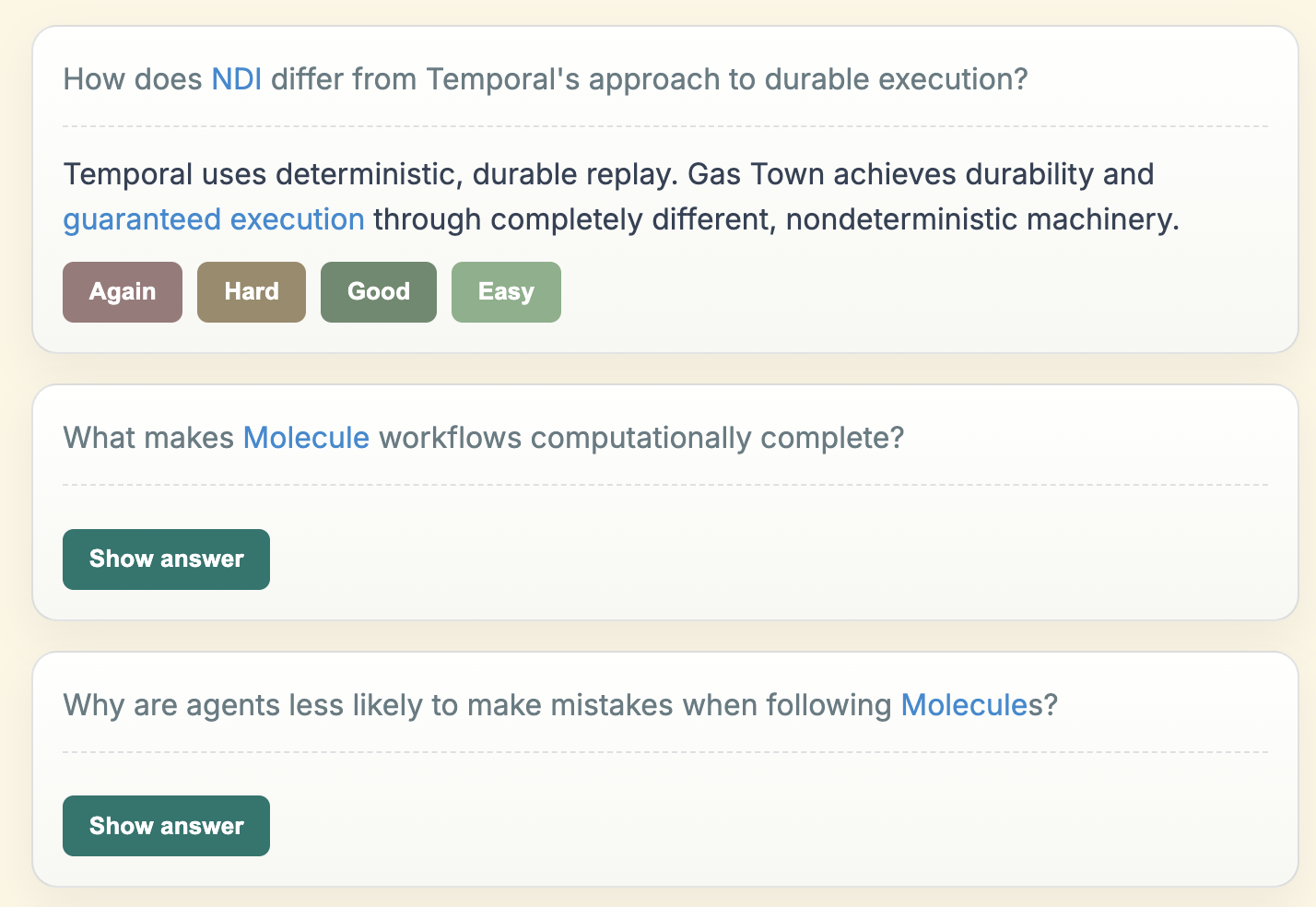
Here is an example page from the Gas Town meadow site. This shows what the first three prompts look like:
If you look at the page's contents in the source graph, it looks like this:
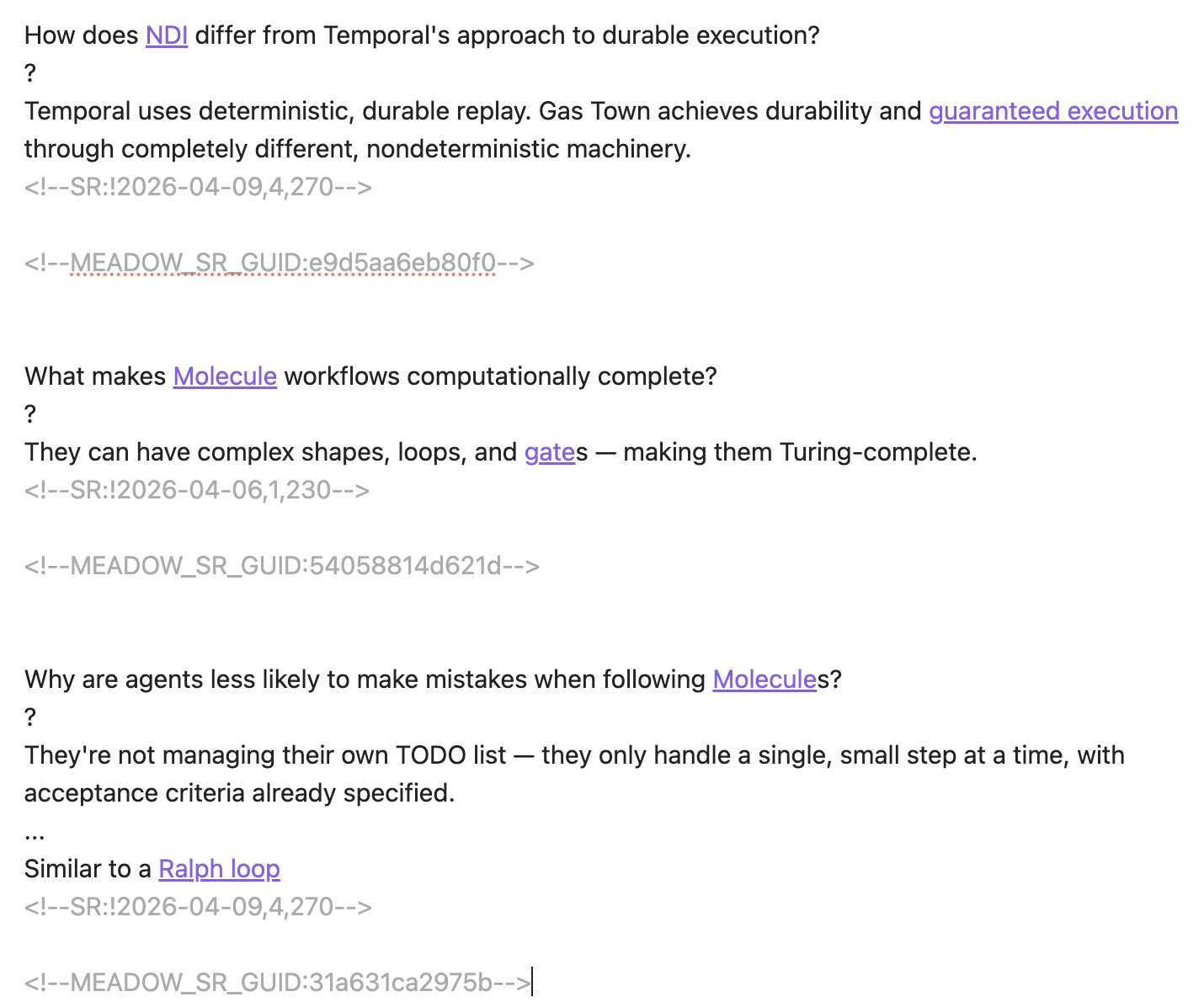
You can see this looks pretty similar to the standard obsidian spaced repetition plugin's formatting, however we needed to add a stable GUID to ensure that if/when the source changes, then the viewer's progress would be properly preserved. We go into the technical details of that in depth in meadow workflow -- SRS markdown to SRS interactive elements on the published site
So how does this work? In Meadow you do the standard site publishing, but then you enable spaced repetition as a plugin:
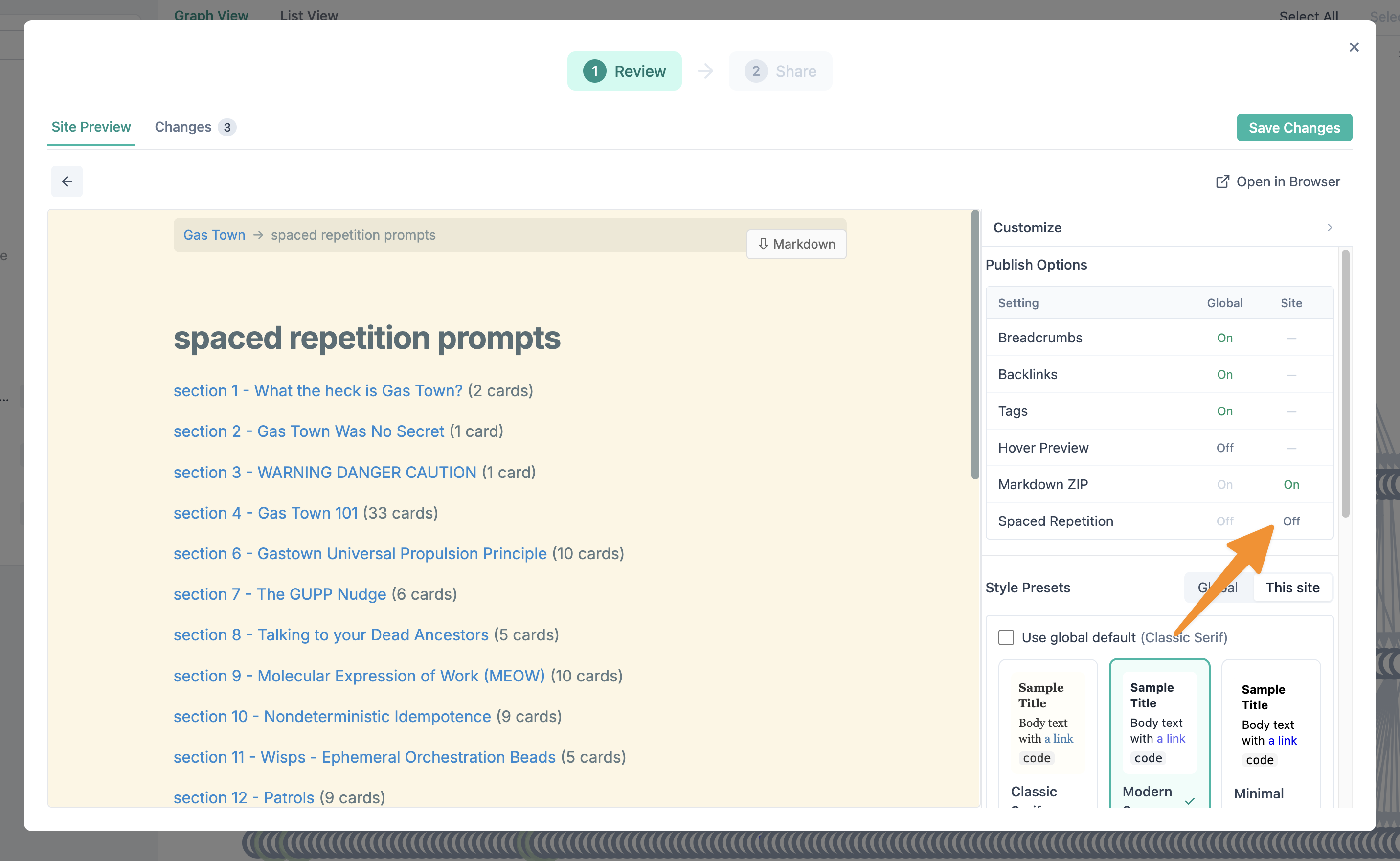
When the modal pops up, it shows a callout that the GUID will be added to the source graph content since it is high sensitivity to change things in the user's source graph.

The mechanism is described in more detail in meadow workflow -- SRS markdown to SRS interactive elements on the published site page, but essentially, here's what happens when you enable that SRS plugin:
It uses the modified markdown which looks like this (The GUID is added and the SR comment is removed, since the due dates wouldn't make sense for the people you are publishing to):
What color is the sky?::Blue

<!--MEADOW_SR_GUID:123e4567f9012-->
which generates a custom spaced repetition HTML representation into the pages that looks like this:
<meadow-srs-card guid="123e4567f9012" kind="basic">
  <meadow-srs-prompt>What color is the sky?</meadow-srs-prompt>
  <meadow-srs-answer>Blue</meadow-srs-answer>
</meadow-srs-card>
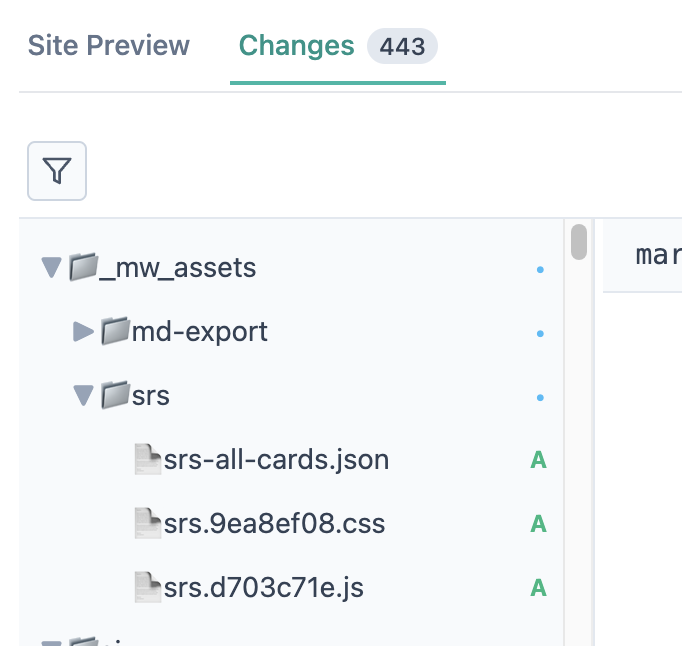
And then, in addition to those changes, it also publishes some the assets that enable the spaced repetition experience in the browser...